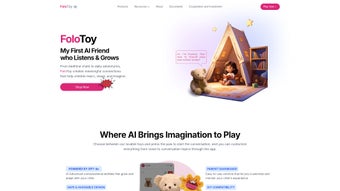

Download FoloToy – AI Conversational Toys for Kids & Adults
Overview
FoloToy is a next‑generation AI‑driven conversational toy that blends playful interaction with serious learning. Powered by state‑of‑the‑art natural‑language processing, each unit can morph into a personal tutor, an imaginative storyteller, a language translator, or a quick‑fire quizmaster, all while maintaining a warm, child‑friendly voice. The device is purpose‑built for families, educators, and hobbyists who want an always‑ready companion that adapts to the user’s age, interests, and skill level.
From preschoolers mastering basic counting to adults brainstorming startup ideas, FoloToy tailors its responses in real time, creating a sense of genuine dialogue rather than a scripted Q&A session. Hardware-wise, the toy houses a low‑power AI chip that processes speech locally before reaching the cloud, which keeps latency under 300 ms and ensures that conversations feel instantaneous. Battery life stretches to roughly 12 hours of continuous use, and a single tap Wi‑Fi pairing eliminates the need for complex network configurations.
For privacy‑concerned users, the open‑source firmware can be self‑hosted on a private server, giving full control over data storage and model versions. In short, FoloToy transforms ordinary play into an educational adventure, offering a secure, portable, and endlessly customizable learning companion that grows with its user.
Key Features & Capabilities
- Multi‑Role Interaction: Instantly switch among Mentor, Storyteller, Translator, Quizmaster, and additional personas created by the community.
- Adaptive Dialogue: The AI modulates tone, vocabulary, and difficulty based on the user’s age and prior interactions.
- One‑Tap Wi‑Fi Pairing: Simple QR‑code setup removes the need for manual network entry.
- Portable Battery‑Powered Design: Lightweight chassis with up to 12 hours of active conversation on a single charge.
- Open‑Source Self‑Hosting: Full firmware source on GitHub enables private cloud or edge‑device deployments.
- 20+ Language Support: Built‑in translation engine covers major world languages and expands through OTA updates.
- End‑to‑End Encryption: All cloud traffic is encrypted; no personal data is stored without explicit consent.
- Automatic OTA Updates: Firmware and language packs are refreshed automatically to keep the AI current.
- Parental Controls Dashboard: Set conversation time limits, content filters, and review interaction logs.
- Interactive Story Mode: Co‑create narratives with expressive voice synthesis that reacts to user choices.
Each feature works in concert to deliver a seamless learning experience. The proprietary AI chip performs initial speech recognition locally, sending only the minimal text payload to the cloud for natural‑language generation. This hybrid approach reduces latency, preserves battery life, and adds a layer of privacy because raw audio never leaves the device unless the user opts in. Moreover, the modular firmware architecture lets developers add new personas via simple plug‑ins, meaning the toy can evolve as educational standards shift or as new hobbies emerge. The combination of secure cloud services, offline fallback, and a thriving open‑source community makes FoloToy a uniquely flexible solution in the crowded AI‑toy market.
Installation, Setup & Daily Usage
Step‑by‑Step Installation
- Unbox and Power On: Remove the device, locate the power button, and press until the LED indicator glows.
- Download the Companion App: Search “FoloToy Companion” in the Apple App Store or Google Play Store. The app is free and under 50 MB.
- Pair via QR Code: Open the app, tap “Add New Toy”, scan the QR code displayed on the device’s screen, and select your home Wi‑Fi network. No password entry on the toy is required.
- Apply Firmware Update: The app will automatically check for the latest firmware. Approve the update; it usually completes within three minutes.
- Create User Profiles: Add a profile for each family member, specifying age, language preference, and any content restrictions.
- Start Conversing: Press the “Talk” button, speak naturally, and watch the LED pulse as the AI processes your request.
Everyday Interaction Tips
Once the initial setup is complete, daily use becomes as effortless as chatting with a friend. For school‑age children, activate the Mentor role and request a quick math quiz or a science explanation in plain language. Creative minds can switch to Storyteller mode, provide a character name, and let the toy weave an interactive tale that responds to each plot twist.
Travelers will appreciate the Translator persona, which instantly converts phrases between languages, making foreign‑language navigation a breeze. Parents can monitor usage through the dashboard, enforce daily time caps, and review conversation logs to ensure age‑appropriate content. Because the device receives OTA content packs, new games, quizzes, and language modules appear automatically, keeping the experience fresh without manual downloads.
Advanced users who value maximum privacy may clone the GitHub repository, compile the firmware for a Raspberry Pi or similar edge device, and point the toy’s network configuration to their own server. This self‑hosted setup guarantees that speech data never leaves the local network, satisfying strict institutional privacy policies. Comprehensive guides, community‑driven scripts, and troubleshooting forums are available in the repository’s README, making the transition from out‑of‑the‑box to custom deployment accessible even to non‑developers.
Compatibility, Pros & Cons
Supported Operating Systems (Windows 10+, macOS 11+, iOS 13+, Android 8.0+, Linux)
The companion app runs natively on Windows 10 and later (via a lightweight desktop client), macOS Big Sur and newer, iOS 13+ devices, Android 8.0+ smartphones and tablets, and Linux distributions such as Ubuntu, Debian, and Fedora. The hardware itself connects to any standard 2.4 GHz or 5 GHz Wi‑Fi network, with optional Bluetooth pairing for local diagnostics.
Pros
- Highly engaging AI that personalizes content for each age group.
- Multi‑role capability replaces the need for multiple educational gadgets.
- End‑to‑end encryption and optional self‑hosting protect user privacy.
- One‑tap Wi‑Fi setup eliminates complex networking steps.
- Regular OTA updates keep features fresh and security tight.
- Portable, battery‑efficient design ideal for travel and classroom use.
- Robust parental controls let adults manage time and content.
- Open‑source firmware encourages community innovation.
- Extensive multilingual support expands global learning opportunities.
- Expressive voice synthesis makes storytelling immersive.
Cons
- Full feature set requires the companion app, adding an extra download step.
- Voice recognition can be less accurate in very noisy environments.
- Self‑hosting configuration may be intimidating for non‑technical users.
- Battery, while decent, may need daily charging under heavy use.
- Offline functionality is limited without a private AI server.
Frequently Asked Questions & Conclusion
Is FoloToy safe for children under 5 years old?
Yes. The built‑in parental dashboard lets adults set age‑appropriate filters, limit daily conversation time, and review interaction logs. All AI responses are generated from child‑friendly datasets, and every data transmission is encrypted.
Can I use FoloToy without an internet connection?
Basic voice recognition and pre‑loaded prompts work offline, but advanced features such as real‑time translation, dynamic storytelling, and continuous learning require an internet connection. Users can achieve full offline capability by self‑hosting the AI model on a local server.
What languages does the translator support?
FoloToy’s translation engine covers more than 20 languages, including English, Spanish, Mandarin, French, German, Japanese, Korean, Arabic, Portuguese, Russian, and many others. The list expands regularly through OTA updates.
Is there a subscription for premium content?
The core application and most personas are free. Optional premium packs—such as advanced STEM modules, exclusive story libraries, and custom voice skins—are available via a $4.99 /month subscription, which can be cancelled at any time.
How does self‑hosting protect my privacy?
When you self‑host, all speech data stays on your private server or edge device, never reaching FoloToy’s cloud. The open‑source code allows you to audit or disable telemetry, run the AI model offline on compatible hardware, and fully comply with institutional data‑privacy regulations.
FoloToy sets a new benchmark for AI‑enhanced play by delivering a secure, adaptable, and genuinely conversational experience that grows alongside its user. Whether you’re supplementing classroom lessons, practicing a new language on the go, or simply enjoying interactive storytelling, the toy offers a blend of fun and education that feels both modern and timeless.
Ready to bring an intelligent conversational companion into your home? Download FoloToy now for free, explore optional premium content, and join a vibrant community that’s redefining how we learn, play, and communicate.



.png)



